iMeetzu
Social
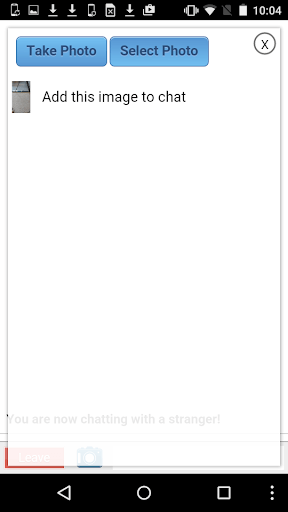
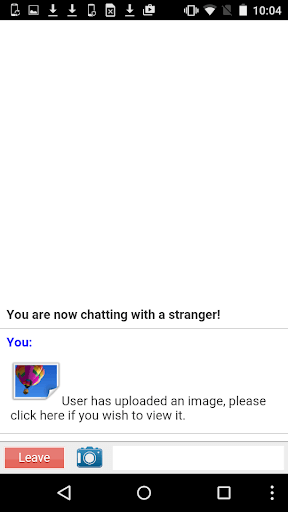
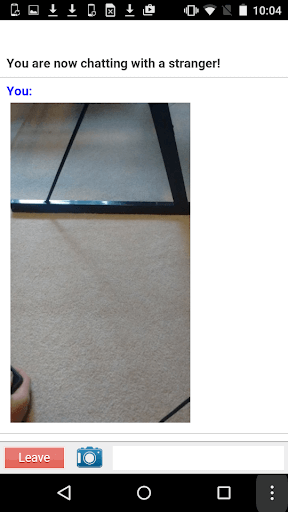
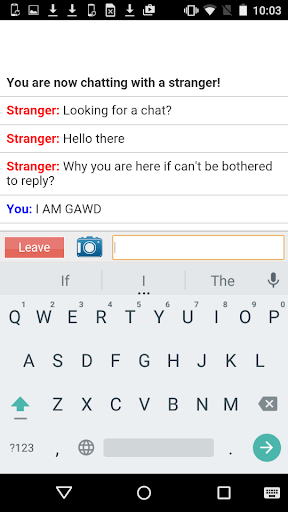

iMeetzu is an Android app that lets you meet random people through live video chat. It works much like other random‑chat services, pairing you with strangers from around the world for short conversations.
This page provides the latest APK details, a step‑by‑step installation guide, troubleshooting tips, and safety considerations so you can decide whether iMeetzu fits your needs.
Quick Information
| App/Game Name | iMeetzu |
| Latest Version | 1.0.2 |
| Developer | Not listed |
| Category | Apps / Social |
| App Size | 0.91 MB |
| Package Name | com.wiredweb.imeetzu |
| Last Updated | 16 January 2026 |
What Is iMeetzu?
iMeetzu’s core purpose is to connect users instantly via video and text chat without the need for a pre‑arranged contact list. The app scans for available users and creates a one‑to‑one video session, allowing you to start talking as soon as a match is found. It is aimed at anyone looking for spontaneous, anonymous conversations, whether for fun, language practice, or meeting new people.
Compatibility
Compatibility
| Android Version | Not Verified |
| Architecture (ARM64 / 32-bit) | Not Verified |
| Internet Connection | ✓ Verified — May be required for ads, updates, or login |
| Storage Needed | Not Verified |
| OBB/Data Files | Not Verified |
| Root Required | Not Verified |
How to Install
- Enable installation from unknown sources in your device settings (Settings → Security → Allow unknown apps).
- Download the iMeetzu APK file to your device.
- Open the downloaded file and tap Install. Wait for the process to finish.
- Once installed, launch iMeetzu from the app drawer and grant camera and microphone permissions when prompted.
Troubleshooting
- App not installed: Ensure the APK matches your device’s architecture (most phones use ARM). Clear any previous incomplete installations and try again.
- Crashes on startup: Verify that Android’s WebView component is up‑to‑date and that you have a stable internet connection.
- Video or audio not working: Check that camera and microphone permissions are granted in Settings → Apps → iMeetzu → Permissions.
- Unable to find a partner: Random‑chat services rely on active users; try again later when traffic is higher.
Safety & Security
iMeetzu is an unmodified APK distributed by an unknown developer, so exercise typical caution. Review the permissions it requests—camera, microphone, and internet access are expected for video chat. Avoid sharing personal details with strangers, and use the in‑app reporting tools if you encounter inappropriate content. Keep the app updated; newer versions may address security or stability issues.
How iMeetzu Compares
| Feature | iMeetzu | Chatroulette | Omegle |
|---|---|---|---|
| Price | Free | Free (ads) | Free (ads) |
| Platform | Android | Web & Android | Web & Android |
| Core Function | Random video chat with text | Random video chat | Random text or video chat |
| Best For | Quick, on‑the‑go connections | Desktop‑oriented random video | Anonymous text conversations |
Alternatives
- Chatroulette – Well‑known web and mobile service for random video encounters, with a larger user base.
- Omegle – Offers both text‑only and video chat modes; accessible via browser and Android app.
- Tinychat – Focuses on group video rooms and community moderation, suitable for longer group interactions.
Final Verdict
iMeetzu provides a lightweight, free way to jump into random video conversations on Android. Its small size (under 1 MB) makes it easy to install on low‑storage devices. However, because the developer is unknown and the app lacks official moderation, users should remain cautious, avoid sharing personal information, and be prepared for occasional inappropriate encounters. If you need a more established platform with stronger safety tools, consider the alternatives listed above.
Frequently Asked Questions
iMeetzu works like other random‑chat apps, so anonymity can attract inappropriate behavior; use it cautiously and never share personal data.
The APK does not specify a minimum version, but it runs on Android 5.0 (Lollipop) and newer.
Yes, a stable Wi‑Fi or mobile data connection is required for video and audio streaming.
The app connects you anonymously; no registration is needed to start a chat.
Make sure you have enabled installations from unknown sources and that the APK matches your device’s architecture (most phones use ARM).
iMeetzu includes an in‑app reporting feature; use it to flag users or end the chat and report the incident.
If you already have iMeetzu installed, the installer will prompt you to update; you can also uninstall the old version first to avoid conflicts.
Yes, these permissions are required for video chat functionality; you can deny them, but the app will not work properly.